Quick Response

Wednesday, April 21, 2010

Zettai Media Player & Zettai Forum - Development Phase 0.1

We have agreed to merge Zettai media Player project into halfey's own previous project, Open Media Player (OpenMPlayer) which has been hosted at SourceForge.net since almost a year ago (you may visit the project page at http://sourceforge.net/projects/openmplayer). At this development phase, the player can be referred to as either Open Media Player or Zettai Media Player (ZMP).

With this merger, we are adding some fresh ideas into the project, and most of them are EQ-related. They are:
  1.  Media library and playlist now can save individual EQ settings for each songs, just like the one found in iTunes. As we have reviewed about iTunes before, we believe different music needs different EQ settings because not all songs sound the same.
  2. As we believe different music needs different EQ settings as not all songs sound the same, we also believe even in a song it never constantly sound the same througout the playback. Sometimes the bass are deeper, some other times the treble sounds louder, depending on which part you are currently listening. Songs usually starts slow in the beginning and reaches it's peak at the chorus, thus the volume is inconsistent and may cause distortion. Traditionally, to tackle this most audio players feature volume limiter/compressor/normalizer to make the volume constant and prevents clipping. However there are trade-offs with this method. For instance, when the bass becomes the culprit that caused the distortion, the volume limiter will tune down the volume of all frequencies, resulting the treble being compromised. What we need here is actually a feature that can dynamically only tune down the volume of frequencies that introduces distortion. In modern audio term, we call it dynamic EQ. We are going to add this feature and user will be able to set the limit manually (in dB unit) or let the player do the compression automatically at the best calculated value (although it may not always produce the best result. We should really believe our ears more). Throughout the playback, the player will analyze (in real time) the volume of each frequencie bands as customized by user and will do its job of limiting the volume of frequencies that is most likely will resulting distortion.
  3. For each customized EQ bands, there will be '"groove" sound enhancement feature. Literally speaking, the 'groove' here means the sound of the respective frequency band which this feature is enabled will fade out in a certain time as set by user whenever the sound in that frequency hit its peak.
That is all about ZMP for now. For our other project, Zettai Forum (Project Ophirus) we will host it at SourceForge.net as well. We will have the official project page set up soon, so stay tune. Also for this project we got some ideas to be added. Here they are:
  1. User status: This 'twitter-like' status  will appear as a text below user avatar. By default, user can update their status via the text field that appear at the top of the forum page (available throughout the forum sections and threads too) and their status will be updated in real time, just like twitter. Alternatively user can turn off the text field and choose only to update their status via user CP or *Personal status page*. Twitter integration is also available to update twitter status simultaneously (requires twitter authentication via OAuth).
  2. Personal page (not activated by default): This is a publicly viewable user personal page with friendly URL (example: www.mysite.com/forum/username). This will act like a blog to a forummer where s/he can choose to publish any of his posts, including those in his/her own private threads. Upon activation, user will have access to Personal Page CP. By default, all of a user's posts (both public and private threads) will be retrieved but user will be able to choose to publish which post. After the activation, The user will have an added feature; "Post to Personal Page" option whenever s/he is about to post an article. And to complement this feature, *Personal status page* (as mentioned earlier) will also available via friendly URL as well (example: www.mysite.com/forum/username/status). It will display all status updates of a user and via twitter-API or @anywhere twitter feature (administrative setting) user also can choose to show their twitter updates as well.
  3. Sidebar+widget: We don't like AJAX but too bad AJAX is the 'in' thing today and everybody is gaga over it so we couldn't help but to get into it as well. If everything is fine we think this is going to be the world's first internet forum with sidebar and widget. Not much to talk about this because some might like it while other might hate it but rest assured, this feature will most likely to be available as an add-on module (plugin) but even if it happen to be included in the main package, we will make it disabled by default.
At this point we still need more volunteers to help developing the above projects. We hope those projects can start anytime soon. We have provided the foundation. Now it is up to you, coders and programmers out there to contribute to the open source community.

Wednesday, April 14, 2010

We're making our own internet forum software

Following our previous initiative on working on our first software, we feel moved to go to the next step, to make our own internet forum software. This is not a new project since it is a revival of halfey's old project, "Project Ophirus" which was before hosted at Watermark Project Forum (now inactive) and it will keep the same goal with some additions. For the time being we are planning to name the final product as Zettai Forum (temporary name) but we have yet finalizing anything yet.

As many of you already know, we are lacking experienced programmer, especially for this project, we would need some good PHP and MySQL coder, as well as people who can work on Javascript and XML (AJAX to be specific). Therefore this is a call for any volunteers to join the project.

Our target is to release the first working version of the forum by the end of the year. We will make the software free of all costs and open-source under custom license (most probably Creative-Commons compatible), so we hope our volunteers wouldn't mind about that. It will feature both (user selectable) threaded or flat forum. Both installation and upgrading will be wizard-based. For upgrading, we decided to make it possible for user to upload the updated files via the upgrade wizard. We will also provide the similar wizard for plugin installation, as well as for remote upgrading so user don't have to re-upload new files everytime updates is released. Yes, we also support third-party plugins for forum customization.

For now we have no plan to use data storage other than MySQL and flat text files since those are the most widely used data storage for internet forum. however we have plans to add support for other SQL-based data storage too such as PostgreSQL, MS-SQL and/or SQLite in our future releases. We will also consider non-SQL data storage too like Oracle and/or MS-Access. For official programming language, we will use PHP for this project but developers are free to port it to other language like ASP, PERL or Java.

Like most other internet forum software, Zettai Forum will feature BBCode by default. Other posting features would include HTML (disabled by default for security reason), emoticons, formatting toolbar, WYSIWYG editor (can be disabled by forum members), nested/threaded quoting, syntax highlighting, and attachments (can be disabled by admins).

For forumming capabilities, categorization, unlimited subforums, forum redirection and thread tagging will be made available as well. "Last/latest post" display will be featured too, as well as trashcan forum as a "buffer zone" for deleted discussions so that they be reviewed again before final decision is made to delete them permanently or to restore them back. One unique feature user will see is what we call "crosslink/shadow thread" where the same thread may appear in two or more forums/categories, depending on the limit set by the administrator. We choose to include this feature in our forum because we know some topics may fit in more than one category.

We know that internet is not always a safe place because we are also a heavy internet users like many of other people out there. Therefore security is still one of our major concern. For that we will adopt both re-CAPTCHA and Akismet as our default SPAMbot prevention mechanism, together with other security measures such as group control, flood control, Access Control Lists (ACLs), blacklisting system, warning system, banning system, IP-blocking system, audit logging, user reporting system. We are also considering to include post-rating and public moderation as part of our community moderation initiative. That will allow normal users to rate posts as relevant/ irrelevant, positive/negative and many more, and then some other normal users who have enough accumulated moderating points may moderate that post with any of the moderating option available to them. We think this is an important feature because we know some people tend to become abusive once they hold power (we know for we've seen such case so many times already). Not to mention that not all moderators are always online so we think this would give them some peace of mind to go offline for a little longer once in a while.

What's the point of dynamic content without syndication, right? We have thought about this and since forum content is often changing so we will make RSS/ATOM available for either forums, groups, categories, threads and even tags or even the entire forum itself. For now we don't have any intention to add instant messaging system to the in-forum private messaging system but we will substitute it with private threads. Private threads will appear as a separate forum section at either top or bottom of the forum index (according to user preferences) and all private threads of which the user is in will be available inside it. Also due to the dynamic content we will make thread bookmarking/subscription system so user can subscribe to their favorite threads. Just like the private threads mentioned above, subscribed threads will be available in another separate personal forum. Alternatively, if the user found having too much separate forum is cluttered, s/he may choose to have the links to private/subscribed threads in his/her control panel. For user convenience, we will also allow user to send emails via forum interface.

Forum in the basis of internet community and we never forget about the need to interact with each other outside the discussion. Apart from the private messaging system mentioned above, we will also feature common forum features like avatar, signatures, user online lists as well as custom profile fields. Other than that, will also feature user ranking system, rating/karma system and friend system. Initially we wanted to make friend system as a plugin but after giving it much thoughts, we decided to include it in the actual release of the software. After all, what's the point of having an internet community without the built-in ability to befriend other people.

We have mentioned above about community moderation, and now we are into the core moderation system. Other than having just global or forum/category-specific moderators, thread moderation may also made available to the thread starter. We also decided to take thread moderation system one step further, by allowing thread starter to appoint moderators for his/her own threads. Available moderating actions including move threads, copy threads, split threads, merge threads, close/lock threads, shadow (crosslink) topics, sticky threads, important threads and bump threads.

Sometimes it is hard to look for a specific thread/post especially in a forum with thousands of them. Therefore we will include powerful search engine to help users. It will also accompanied with advanced search feature that will allow user to define specific criteria like full-text search and author search. Unread topic search will also available via database tracking.

As part of the forum customization system, we will support localization via language pack. For now, other than the default English language, the only language packs we have is Malay (Malaysia), l33t (yes, the h4x0r language) and lolcat (yes, we mean it!) so we will need contributors for other languages too. Forum templates editor will also available for global setting, forum specific, and CSS. All this also comes with built-in skin editor. Custom BBCodes will also available for extra post/article formatting. Also to spice up the forum posts, smiley pack/emoticons will also available. Like we have mentioned earlier, more features/functions can be expanded/extended via our rich plugin system.

As the basis of internet community, we know forumming features alone is not enough, thus we simply included some special features such as forum statistics, polls, calendar, friendly URLs, as well as out-of-the-box search engines optimization (SEO). Lo-fi view also available for slow connections. Also available is the mobile-mode view for users on mobile devices. Other extra features would be database optimization, pruning, archiving and backup (for root administrators). Users may also export threads, private messages and friend lists for personal archiving.

Even before we actually release this software, we already have plans for its future. Some of the features we think worth considering is Facebook/Twitter/micro-blogging integration, Gravatar, OpenID login, blog-bridging (for forum owner) and cross-posting to other sites like Tumblr/Posterous (for all users). However, for now we encourage coders out there to make plugins to enable these features.

Thursday, April 1, 2010

We're launching our own media player software

Since Zettai-Freeware has been around for quite sometime, we have finally decided to release our own media player software under the Zettai Media Player (ZMP) branding. Although we are aware that we have yet to have strong enough presence in the media player branding, we hope that with the release of our own media player, it will become a catalyst to make our presence even stronger in the near future. Don't worry, it won't be yet another plain media player as you could find in sourceforge.net because we are monitoring the development very closely.

While we have absolutely no programming and other technical skills required to develop a software by our own, we've made sure to find a group of developer based in India and Singapore who will develop the media player exactly as requested by us. We may lack the experience but we know exactly what a decent media player software should offer. All of the coding are being done by the developer but the interface/skin is being designed by us (yes, it will have skinning feature). We also have the final say in the functions and features that will be offered by the player, as well as testing the software for any bugs and programming flaws before we could release it to the public. We also made sure to incorporate state of the art technologies in the player so that the sound quality should be excellent.

For now we decided not to disclose any images/snapshots from the early stage of the software development but you can expect a simple, yet good looking piece of media player software. If iTunes is the software version of iPod, then think of our player as something better than that. It will support all major audio and video formats out of the box (with optional need for external CODECs) as well as Winamp plugins. API and software documentation also will be made available to 3rd-party plugin developers prior to the first public release of the player for them to develop ZMP-specific plugins. CD-ripping and burning will be available too. Other noticeable features would be out of the box support for some less popular media formats, a media management library and a fully customizable equalizer (user-customizable up to 100-band frequency settings, ranging from 20Hz to 20kHz, adjustable up to +/- 20db).

Into sound enhancement department, other than the aforementioned equalizer, the player will also feature various other controls out of the box like replay-gain/normalizer, sound compressor, noise reduction, echo, reverb, 3D depth, flange, stereo widening, virtual surround emulation, individual multichannel volume control, built-in Dolby digital sound decoder, resampler, 'crystalizer' (to restore lost fidelity of of the lossy audio formats) and many more. We know most people would need all of these features because we know different orchestras will sound differently under the different conductors.

So how much is the price for all these? It is 'zettai' (absolutely) free, as in free beer and free as in free speech. We will charge nothing for it and we are pleased that the developer are agreed to make available the source code for free as well, under GPL-like/compatible licensing, but for now (in the mid-development phase) it will remain closed source at least until the alpha version makes its first public appearance. To be honest, we have rejected one application from a Taiwan-based software developer mainly because they refused to make the source code open, so we are glad that our current developer team now shares the same vision with us. Anyways, stay tuned for more details as we develop this software further. Having reviewed quite a number of media players all this time, it's quite nice to finally be able to decide how a media player software should be from the scratch. Hopefully audiophiles alike will love our first ever product once it is out soon.

Monday, February 15, 2010

SRWare Iron

SRWare Iron is a free and open source browser based on Chromium, which Google Chrome is based on. In fact, it behaves exactly like Google Chrome with a few exceptions. Iron is designed for privacy.


Read more...

The difference between Chrome and Iron is that, according to their website, Iron doesn't send data silently to Google as Chrome do. That also means it doesn't check for updates as well. Otherwise, its just like Chrome. You can even use themes and extensions designed for Chrome.

I'm not paranoid about my activities being tracked by Google anyway, as they were anonymous, but if you are, maybe this is the browser for you. It also features a built in adblocker, although it's not real clear how to configure it.

Unlike Chrome, there's even a portable version of Iron, which is the main reason why I'm using it. I still use Chrome for my PC, but on PCs without Chrome, I use the portable Iron as an alternative.

Monday, January 25, 2010

Anything but Winamp...

This is the first time for us to write a review-cum-comparison. Our victims now are some media players and we are talking about emphasizing on the audio capability of those software. We decided to write this article after all of us here grown tired of Winamp. Initially we would include Yahoo Musicmatch and RealPlayer too but in the final editing those two were dropped because the former was way too basic while the latter was way too restrictive in it's freeware edition (and we don't bother to throw in JRiver MediaCenter as that software is a total piece of shareware). Since most of us here can be considered as audiophiles then it can't be helped that we will list out the players from the best to the worst. However, please bear in mind that we are a different breed of audiophiles since we believe in personalization of music, which means we heavily emphasize on sound enhancements.

Read more...

1. COWON JetAudio


At first we are a bit reluctant to write a review about this player since it is a 'payware' (OK, it's a shareware). However, after considering that the free version isn't too restrictive then we finally give this a pass, and on top of that it is clearly the winner for the various sound enhancement features that comes with it. The sound enhancement features are so rich that you almost won't need any third party DSP plug-in even with some of them are disabled in the free version. Besides it's not that JetAudio really support third party plug-ins anyway. Luckily one of us are generous enough to sponsor us the full version so we get to listen to the music with all sound enhancement features are enabled in their full glory. Not only that, we pretty much like its volume leveling feature that makes 'inconsistent' music (music that suddenly becomes loud all of a sudden in the middle of listening) become more gentle to the ears. The player seems to come with some sort of a good "bass compression" too that we rarely hear sound distortions on our speakers/headphones, as if it knows what speakers we're using and will automatically 'compress' the bass down a bit to make any resulting distortion due to heavy bass become less noticeable. The built-in 20-band equalizer is also very much welcomed, since so far we only see only iTunes and Foobar2000 that comes with 20-band equalizer like this. To top it off, we managed to tune the low frequencies to the max and we hardly can hear any noticeable distortions, thanks to the "bass compression" feature we mentioned earlier. However, on the negative side, it comes with very limited presets but luckily users can create and save their own presets or even download them from the internet if they're too lazy to create them on their own. JetAudio has become so mature since now that it features a nice media library, although the drag&drop feature may not compatible with some other players (i.e. dragging&dropping from/to other player 's library). Some people (like one or two of us here) however don't like the 'seemingly cluttered' interface. Yes, they might be a bit cluttered upon the first run but those (like the so-called 'remote control' window) can be turned off. One thing that we really like with JetAudio is, ever since the oldest version of JetAudio we could remember, it has been supporting video playback when Winamp was not, and it plays quite a number or video formats too. Today it is also one of a very few audio player out there that supports FLAC (Free Lossless Audio Format) which is what an audiophile would want. We also like the alarm and timer function though it would be better if it comes with the sleep mode playing like the one found in MediaMonkey. With all this features, JetAudio basily beats all the media players in this comparison with a large margin.

2. Windows Media Player 11


Windows Media Player is a default media player in Windows and it has been available since the advent of Windows 95, although its functions was very much limited back then. The first major revamp of WMP was done with the birth of the 'failed' Windows ME. Yes, the OS itself may be a failure of an OS but Microsoft managed to steal some attention with the Windows Media Player 7. For us, it was one of the first media players that comes with a good media library management available for Windows operating systems. Not even Winamp has the media library management on that time, and iTunes for Windows was not around yet. On the sound enhancement department, as an addition to its limited 10-band equalizer, it has the SRS WOW effects in the form of SRS TruBass and SRS TruSurround. Although WMP supports third party plug-ins, we don't bother to get those as we already satisfied with the SRS WOW effects. The only thing we don't like about WMP's sound enhancements is, not only you can't save your own equalizer setting, they tend to give extreme boost to your music even with only a very little tweak, to the extent that that it would sound like your speakers are going to get destroyed. Therefore during the test session we disabled the equalizer completely and only relying on the WOW SRS effects as well as the qualization/sound enhancement settings that comes with our soundcard. Anyways WMP remains one of Microsoft's strong point although it's a bit of surprised to us that unlike Internet Explorer (which is the dominant in web browser market), WMP failed to be the dominant in media player market despite it is shipped with Windows, just like IE. Well, we are kind of understand why it is like that (WMP's supported file format is kind of limited and we believe it is one of the reasons).

3. Foobar2000


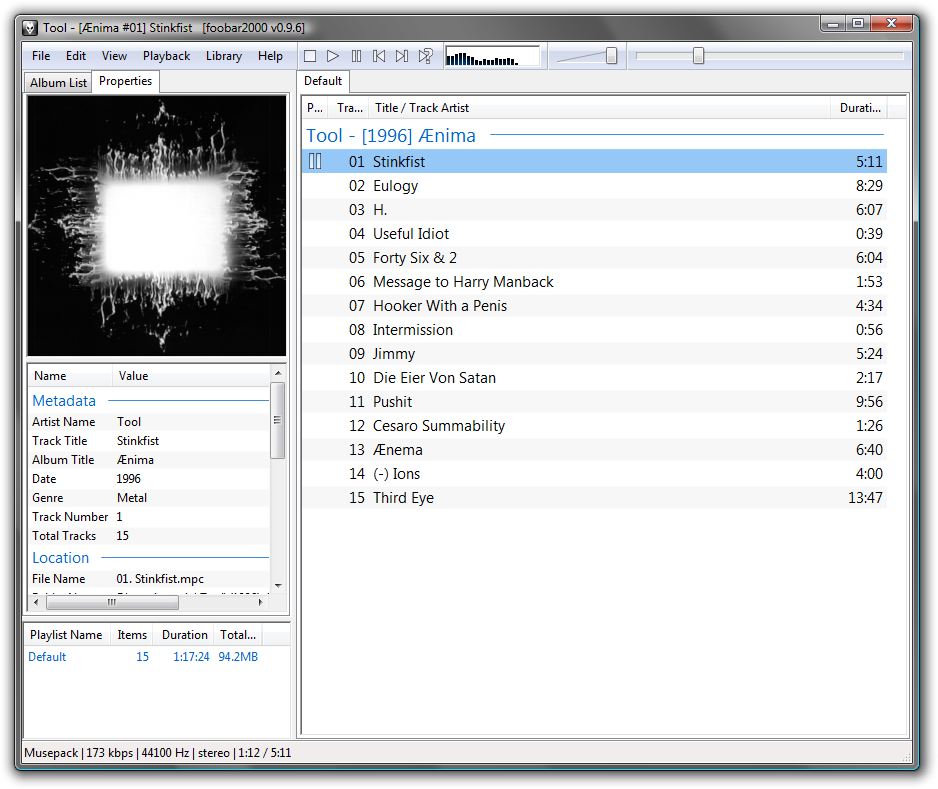
Foobar2000 is one of a few players out there that is able to deliver great sound quality. It's interface is simple as if it was made merely using the default Visual Basic UI. However don't let that fools you as looks can be deceiving. Right upon installation, the first thing we would like to find is the sound enhancement and the player did not disappoint us with the 20-band equalizer is built in. We like the snap-to sliders on the equalizer, so you will know definitely where you are when tweaking the frequencies. For us this is much better than just a simple indicator found in most players. As this player also supports third party plug-ins, there are plenty of them on the net, and most of them are on the official Foobar2k website too. It supports FLAC format (for those who happen to be the real audiophile) and some other rare audio formats not usually found in other players. This is one of the welcomed features as we here like to try out various formats in search for the ultimate sound settings. However we can't really tolerate on how this player handles ID3 tags. Upon loading the files to the playlist/library, it does not automatically reads them until you play those files. Even so, it still behave erratically even after it plays those files, as occasionally we found it displays the file name instead of the 'artist - song' name like most other players do. And we really hope it would be able to store individual EQ settings for each songs like in iTunes but it does not. Besides, the info columns is not movable but only resizeable, unlike those in ITunes too. At the time of writing, the player just reached the version 1.0 after years in development, as if it was stalled. Honestly last year we had a thought that it would not reach version 1.0 for at least another 2 years. Well, it would have been faster if it was made open source but too bad only the SDK components are available as open source under the BDS license. We however really like the skinning ability of the player. However it does not make it as "the Firefox of audio players" since it is CLOSED SOURCE. If you are talking about "the Firefox of audio players" then we would recommend Songbird, which is not only made with Firefox core, but also open source and highly customizable.

4. iTunes


iTunes is one of the easiest media players we've witnessed so far, though not the one to die for. Although the functions and supported formats are way behind other players, its ease-of-use would easily make one forget about its limitation. So what makes us so attached to this player? It is the equalizer which is to us is the most flexible of all players in the world. It allows user to 'tie' a song with any of the equalizer settings, which means you can have your music with their own equalizer setting. Well, we know that different music have different highs and lows that we believe it would need different equalization. Not only equalization, iTunes allows you to set the volume for each music as an addition to the built-in automatic volume leveling. However, the major setback unforgivable for iTunes is it doesn't support any third party plug-ins, so you can't extend the sound enhancement capability. Drag-to-select also don't work in the media listing so you'd have to resort to either pressing "Ctrl+A" or use the "Edit>Select all" menu. We also really despise the fact that playlist sharing between iTunes and other players is (almost) a no-no because the playlist created in iTunes can only be exported as an XML file. It is fine if other players can import this XML file into a playlist but not many players out there supports XML and we wonder ourself why the heck Apple didn't choose to support proven-to-be-more-popular playlist formats like M3U or PLS? We may be lucky that Apply didn't opt for a proprietary playlist format but at least they should join the public domain rather than forcing people to see things in their way. And we found it is strange for iTunes didn't comes with support for Quicktime video and it's pretty sick for it to support only MP4 as the only playable video format. For us, if a player comes with very limited feature like this it should at least support third party plug-ins to extend its features. With this considerations, iTunes didn't manage to be in our first 3 winners list.

5. BSPlayer


BSPlayer is the only 'Winamp-like' player here than the rest of other players in this comparison. What we mean by 'Winamp-like' here is the static-window interface (which is' non-maximize-able'). However, unlike Winamp's more proper media library, BSPlayer's library is quite limited in manageability. A new user wouldn't know it has a media library function unless s/he is brave and curious enough to delve into the context menus since the availability of the media library is not really obvious to most first timers.Other than the wide range of media supported out-of-the-box, we found the only strong point of BSPlayer is the 'unlimited' band equalizer. The only 'limit' to this EQ settings is your PC processing power, your speakers capability (of handling certain range of frequencies) and your hearing (take note that human hearing can only detect sound frequency between 20Hz to 20kHz so be sure your setting is not out of this range) and also your money. Yes, this 'unlimited' EQ only comes in the PRO version of the player (as an unlockable feature). With the free version, you will have to bear with the generic 10-band equalizer (just like Winamp). However, even with only 10-band equalizer, we'll have to warn you that the equalizer works like the one in Windows Media Player. What we mean here is even with a slight tweak they will tend to cause some distortion to your speaker, which is a turn-off factor if you are a bass-head person who likes to play your music loud. Not only that, each frequency band of the equalizer has a +/- 20dB increment but without snap-to sliders, it's hard to tune the increment to the number you want. In the test, we had a hard time to add exactly 10dB to the 60Hz low frequency band (to add the bass effect) and ended up at either 9.8dB or 10.2dB, until at the end we have no choice but to give up. Because the equalizer is too sensitive, even 0.1dB increment is noticeable on our speakers. Although we like the 'unlimited' EQ, we didn't like the fact that the saved settings will be rendered useless whenever you changed add/remove the band(s), and they will only work only if you reverts back to the exact band numbers. What we meant here is if you create a 20-band EQ ranging from say 30Hz-19kHz and saved the settings then the settings will only work with the same 20-band EQ with the same frequency range (and the same frequency divisions too). Truly inconvenient for sound enhancement freaks like us.

6. Beoplayer


Beoplayer is one 'weird' player that will turn any Windows PC to mimic a Bang & Olufsen audio product. The software though gives us either-love-or-hate impression, where we found it friendly and not friendly at the same time. Like all B&O product ranges, Beoplayer also tried to give the 'ease-of-use' feeling in our heart. Generally, audiophile refers to those who prefer to listen to music the way they are intended, but we here are different kind of audiophile, as we intend to listen to music the way we preferred (that's what we call "freedom of music listening"), thus we highly revere, welcome and support any kind of sound enhancement feature in any media player. The people at Bang & Olufsen however believe it the other way, where they think a media player (both hardware and software) must be 'honest', which means the music must be played as it was recorded. That is why you won't find any sound enhancement feature in the player, let alone graphic equalizer. So if you'd ever choose this software to be your player then you'd have to rely on your soundcard's sound enhancement feature (most higher-end soundcards comes with this). Beoplayer is meant to be a truly audio-only player so don't expect it to support any other format (READ: VIDEO) in the near future, although we think that is the department that Bang & Olufsen should change.

7. MediaMonkey


MediaMonkey is another not-so-restrictive shareware that made its way into this comparison. Function wise, this player almost matching COWON JetAudio. However, with the 10-band equalizer as the only sound enhancement feature that comes with the default package, we have to place this player several stairs below JetAudio. Thank goodness it supports third party plug-ins to extend the sound enhancement capability and we managed to get some too that works pretty good. We really like the sleep function which works similar to JetAudio's timer function but slightly better with an option to fade out the volume as the timer is reaching its end. There are plenty of other options available for the sleep function too, such as to shut down the PC or just closing the player. Our issue with this player is the drag&drop file management may or may not work with other players, and you might need to perform a trial-error test to see which other players would work with it. Other than that MediaMonkey is just a plain media player but still to us it is a media player worth an attention.

8. Winamp


Winamp is a media player that "anybody who know how to use computer knows" that we think we should not waste our time introducing this. We can say it is one of the pioneer of the mp3 fever back in the 90's and managed to survive until today. With a large user base it is by no doubt the king of media player. However to tell you the truth we never like Winamp except that we are thankful to it for being responsible of infecting every single of us here with the so-called mp3 fever. Well, for us the floating windows that made up the player is a bit cluttered to us and the player doesn't do much until the arrival of Winamp 5. Our 'hatred' towards Winamp 5 become more apparent with it becomes s shareware. To make it worse, the locked feature in the free version (like the fast CD burning/ripping) are offered many other free players, which makes us think Nullsoft (the developer) are making money from it in a nonsense way. Enough about that lets go to the sound enhancement feature. Well, like most players out there, it only comes with the basic 10-band equalizer. Luckily there are tons of plug-ins available on the official website to extend this (and many of them are free too) but too much of them will confuse most users, especially with Winamp has so many users out there. The media library is quite confusing to get used to but it is a welcomed feature considering many people is using Winamp for playing various types of media. Supported media format is good and it can handle exotic media format with a simple plug-in installation, provided that you have necessary CODECs installed in your system of course. The skinning feature also has switched from static to dynamic skinning since Winamp 3, and many of them are available on the official website too. However, those stuff still don't turn our 'hatred' to love. In fact we feel the plain boxy interface of Foobar200 looks better than the Classic Winamp skin. Heh! Perhaps it'd be better if Winamp can be 'de-skinned' LOL

*All software are tested using the Creative Cambridge SoundWorks PS2000 digital speaker with Realtek HD Audio on-board sound with digital (optical & coaxial) output.

Sunday, January 17, 2010

foobar2000

If you're looking for a free and highly flexible audio player, nothing beats foobar2000. It may not be as popular as Winamp or MediaMonkey, but it is the choice of many audiophiles out there. Why? It's wide range of DSPs available allows it enhance its output, add functionality, support exotic file formats, give some eyecandy, and many more. Its the Firefox of audio players.


Read more...

Yes, the default interface is ugly. If you prefer something prettier, I'd recommend you to search at deviantART for foobar2000 themes. You'll be surprised. However keep in mind that its certainly not the easiest audio player around, especially with custom themes. But once done, it looks so good you can actually brag about it.

Enough talking about the looks, the part that kept me hooked to this audio player is just one: Noise Sharpening DSP. Try it, and you'll notice the difference in quality, even if you're not an audiophile. You'll need to copy the extracted file to foobar2000's components folder, and enable it in the preferences menu. It's worth the trouble :P

Friday, January 1, 2010

With the new year comes the new resolution

KUALA LUMPUR    In the spirit of celebrating the new year, the owner of Zettai Freeware, Halfey Halphstein (not the one in the picture) promised that he will never abandon Zettai Freeware, and said he already has various plans to resume his job as a freelance freeware tester.

"For the past few months me and my colleagues were having some hardships as well  numbers of unexpected things came up. That is why the website has not been updated since September," said Halfey during the new year celebration just now. "You know, we are consisting of only 5 people using some aging computers. Imagine running today's software on an Intel Atom powered PC as well as a 1.4Ghz Pentium 4 machine. It's slow and sad."

Halfey said this new year things definitely going to change as he and some of his colleagues already get themselves some awesome computers to keep continuing their work. Most of the new computers are now powered by at least Intel Pentium D processors.

"My own PC is powered by an overclocked Core 2 Duo E7500 CPU, coupled with nVidia GeForce 9600GT. Yes, that means we are also going to test some 3D games too, if there are any freeware 3D games of course. For a starter, we might have to test some MMORPG for you since most of them now are free to play," he said, as he unveiled the detailed specifications of his new PC. "Unlike in the past, we even use a Pentium M laptop, not to mention we even have a Pentium III machine still 'running around' to make our jobs done. Luckily most of us managed to fork out some money we have saved since the establishment of Zettai Freeware and now we are back to give our service for those who needs them."

When asked about the identity of his other colleagues, Halfey refused to spill much words about it.

"We have a contract that we are not going to reveal much about each other except to say that we are exist as a group. I can only say that some of the hardships we faced are, one of us was getting married, another one was busy with his newly born baby, and there's one was on maternity leave... Yes, we have married couple too in our team. Me and another one were busy with our own work as government officers."

"However, like I said, you will see some changes soon, some are major changes and there will be some minor changes too. All that were done to bring the best from us to our 'customers'. I hope our 'customers' will accept and appreciate all the sacrifices, the sweat, tears, blood, and probably some saliva too that we have shed in order to get ourselves the better tools to do this job, despite the economic turmoil that affects our world now."

"We want everybody to be happy this year with more freeware reviews we will write. I also recently have received an application from an online friend who are willing to lend some hands. and now I am happy that we officially have at least 6 people in our team. Of course I would accept that and for your information, we are still looking for more freelance freeware reviewers and editors so anybody who are interested may drop a comment in the Zettai Freeware blog."

Tuesday, September 15, 2009

Mozilla Firefox


Mozilla Firefox (otherwise known as just Firefox) is a free open source internet browser originally developed by Mozilla Foundation. Currently Firefox is available for 3 major operating systems, namely Windows, Mac OS X and Linux, as well as several other UNIX-like operating systems.


Read more...

We have reviewed the Flock browser before and now we feel it is time to review the mother of all Firefox-based browsers, the original Mozilla Firefox browser. We have been a long time Firefox user, ever since it's initial release in November 2009. Currently Firefox is in the version 3.5, with the version 3.5.3 being the latest stable release by the time of writing this article.

The current Firefox is originally descended from the Mozilla Application Suite, which was born upon the release of the source code of the Gecko web rendering engine used in the legendary Netscape browser. Even today Firefox still uses the engine since it complies to most current web standards. In fact, Firefox also implemented some of the features that would eventually become standards.

Firefox is among the first few browsers that features tabbed-browsing, which has been around since its very first version. Actually tabbed-browsing feature was available in Mozilla Application suite as an extension and with the advent of Firefox, the feature is made built-in for the people who developed it think that this is a must in any web browser. Indeed it is a must and it is hard to imagine any modern web browser without it.

Simply put, it is also hard to write an article covering all Firefox features, for it will span thousands of words. Therefore we will highlight only a few of notable features that sets Firefox apart from the rest of other browsers. Firefox has the reputation of being one of the safest browser available. New updates constantly available thanks to the ever increasing supports and contributions from the Firefox developer community. If only Linux can be updated in a similar manner we believe many people would embrace it too.

Other most notable feature on Firefox is its page loading speed. By default it is already fast enough to beat many other major browsers in page rendering and with a little tweak it can be the fastest of all. Yes, user-customizability is another Firefox's killer feature. So far, apart from Firefox derived browsers, we never seen any browser as highly customizable as this one. There are tons of plug-ins (extensions) to extend it functionality plus loads more themes to replace the default look and fell, if that is what you are into. Not to mention that power user may delve into its internal configurations for some extras, just like what people are doing with Windows Registry.

At this moment we have almost no complain for Firefox except for its one band reputation; being the memory hog. Yes, one running Firefox instance with certain amount of extensions installed may hog your system memory up to 100MB, even without displaying any page, hampering your PC performance. Even after closing it Firefox does not instantly give up the memory and may take some time to clear everything before it is completely 'shut down'. This is getting worse by the fact that Firefox runs only on single processing thread, though multi-threaded version has been planned for the future. Luckily since Firefox is highly customizable, there are tweaks to compensate this problem if you really need to get rid of them. Our advice is, only install the extensions you really use and Firefox will work just fine. Spread Firefox!

Download Firefox for free here:
http://www.mozilla.com/en-US/firefox/personal.html

Wednesday, September 9, 2009

IObit SmartDefrag


SmartDefrag is a free hard drive defragmentation tool from IObit for Windows. It is designed to simplify and automate the defragmenting process with very little system resource utilization.


Read more...

As we have mentioned before, this time around we will review another freeware from IObit. Just like the GameBooster we previously reviewed, this tool may also be integrated into Advanced SystemCare and can be launched from within that software's interface.

From our test on a 'cute' Intel Atom 330 powered PC, it turned out that SmartDefrag is quite fast, around 20-25% faster than Windows' built-in defragmentation utility. We did not compare SmartDefrag with other tools because we are already satisfied enough with its performance.

The program's interface, as you can see from the image above is pretty simple and everything can be figured out right away. There are 3 optimization options to start with, namely Defrag Only, Fast Optimize and Deep Optimize. We have to admit that even with the Deep Optimize option, SmartDefrag did not turn us down with its speed.

The auto defrag feature works wonderful too. Even when running at the background it only use roughly 1MB of system memory, leaving you a lot of memory for your games applications. The best of all is you can tune when it should kick in to do the auto defrag, for instance when the PC is idle or CPU utilization is below certain percentage. Very convenient.

Our only complain about this software is it can't defragment any USB flash drives, which is very surprising, considering all other tools we have tried before offer this feature. This may not be a big deal for many but for us here who have USB flash drives with the capacity of 8GB and more, this is really important, especially we tend to store our mp3s inside them.

The absence of USB flash drive defragmentation feature may be disappointing to us but for those who don't mind about it, we don't hesitate to recommend you this utility for its speed and the auto defrag feature.

Download IObit SmartDefrag here:
http://www.iobit.com/iobitsmartdefrag.html#

Thursday, September 3, 2009

Game Booster


Game Booster is another freeware from IObit, the people who brought to you the Advanced SystemCare we reviewed before. As we had mentioned before, Game Booster can be integrated seamlessly into Advanced SystemCare, giving you the ultimate set of tools to uleash you PC gaming capabilities to its fullest.


Read more...

Game Booster is a system utilities for Windows. It does just what its name bears; boosting your PC gaming power. This is done by disabling certain numbers of Windows services that are pretty unecessary when the PC is in gaming mode. Disabling those services gives the CPU more processing resources that is valuable to games and 3D applications. Extra processing resources is also achieved by temporarily closing background-running applications to give more room for resource-hungry applications. Game Booster can do all this without a fuss.

Game Booster is really fast in closing and restarting those services and background programs. By default, Game Booster already have the list of Windows services to be disabled. The good news is user is free to modify this list, either to remove or add entries to the existing one; pretty convenient especially for Windows power user who really know what services that are really safe to be disabled while on games. Furthermore, we did a head-to-head comparison with Windows' batch processing files to get the real feeling of how fast Game Booster work. First we create a *.bat file containing commands to stop the same services as in Game Booster default list and we named it "stop.bat". Double-clicking this file stops all the services but on our first try, there was a catch where it requires the confirmation to stop services that are dependent to the other. The trick to overcome this is to rearrange the command and it worked smoothly, albeit it took up to 30 seconds to execute all stopping commands. Then we changed the commands in the same batch file to service starting commands and saved a copy as "start.bat". Again, it took around another 30 seconds to execute everything. Game Booster, on the other hand does the same almost instantly to the extent that we were unable to see the progress of stopping/restarting the services. Not only that, Game Booster have very small memory footprint, only utilizing roughly 700kb when minimized to system tray.

Currently Game Booster is in version 1.21. Version 1.21 is more of a bugfix version because the version 1.2 has been detected by many antivirus software to be containing the pattern of certain computer virus, though nothing actually happened if the user choose to ignore it. Since version 1.2, one useful feature, Game Defrag has been added. This feature allows the user to specifically defragment the files of installed applications, especially games. It also allows the user to scan individual folders for defragmentation and then defragmenting the defragmented files. This is also done quite fast and saved a lot of time because user may not always have to resort to full hard drive defragmentation. However please take note that this is not to replace the overall system defragmentation and user still need to defragment their system regularly from time. For automated/scheduled HDD defragmenter, we recommend another IObit freeware, Smart Defrag (we will review Smart Defrag in the near future. Stay tuned with us).

Download Game Booster for free here:
http://www.techspot.com/downloads/4842-game-booster.html

Friday, August 21, 2009

Mozilla Songbird


Songbird is a free and open source audio player for all major operating systems including Windows, Mac OS X and Linux. It is part of the Mozilla Foundation project and the current stable release is version 1.2.


Read more...

We finally urged to put Songbird under a series of tests for a review after informed that the latest version comes with equalizer, a sound enhancement we have been longing for in Songbird. The unavailability of the equalizer all this time is what makes most of us here reluctant to use itor even try it because we here love to manipulate sounds to suit our personal preferences.

Songbird was intended to be the world's first 'web player' which was said to be able to play web media seamlessly. This was made possible thanks for the utilization of Mozilla's XULRunner Platform which also contributes to the multi-platform nature of this software.

Songbird has been around since February 2006 and has been steadily developed and improved by the developer and contributor community. Many features has been added since then and the most recent and noticeable feature would be the inclusion of 10-band equalizer. This equalizer is not much but it is what user has been nagging and anticipating for more than 2 years. It is a pity that a sound enhancement feature like this was missing and been underestimated (ignored/overseen/undermined) by the developer when they first release the software.

Songbird, unlike its web browser siblings (Firefox, Flock, etc.) however fails to gain its own identity. From the beginning, it tries to mimic both Firefox and iTunes, and the UI and even the default 'Feathers' (skin) is very much resembles iTunes in most aspects (around 90% if we must say). This is probably because "Songbird promises to be the Firefox of media players" (Aaron Boodman, Greasemonkey) as well as being as powerful as iTunes. Nice try they had there and they succeed to certain extent while most of the time they failed hard.

We must say Songbird tries to be as powerful as both Firefox and iTunes combined although in reality it is not as powerful as either of the software alone. To be another Firefox, it disables many of Firefox's capabilities despite adopting its entire codebase. To make it worse, the developer has announced that the browser extension is just a secondary (minor) feature and they won't take care much about it. What a waste when they can just make it to be a browser with media playing capability. On the other hand, to be an iTunes, Songbird did not include great features like the individual EQ settings for songs and there is not even a CD ripping/writing present. To make it worse, although there's an add-on for EQ presets (presets are unavailable by default) there is still no way to create your own. Luckily it supports more audio format than iTunes, particularly open source format like OGG and FLAC. Not to mention the skinning (Feathers) that makes iTunes looks lame.

We have a suggestion to Songbird developers. Instead of mimicking only Firefox and iTunes, they might have to look forward on Windows Media Player too. We know Songbird has built-in volume gain feature but it is not as powerful as WMP's "Quiet Mode" (sound limiter/filter). Perhaps they may try mimicking WMP in the next release? Even as a plain audio player, Songbird still does not match Winamp so as long as we still see both iTunes and Winamp as our favorite, Songbird won't last long in our software installation list. Thanks for trying Songbird.

We have tried and tested the software and it fails to replace iTunes, WMP and Winamp in our heart. We can't accept an excuse like "this is due to its immaturity" for this software has been in development for 2 and a half year already. Honestly, we found that Songbird is not as heavily polished as Firefox (talking about slower development here). We hope this will change soon because we here are long time (die hard) open source software supporter and we are looking forward towards the next release. We would like to have an open source media player that can rival head to head with those old timer.

Download Songbird for free here:
http://getsongbird.com/

Friday, August 14, 2009

Server2Go Portable Web Server


Server2Go is a 'donationware' by German-based Server2Go software group. It comprised of a complete WAMP server-stack package (Apache web server plus additional PHP, MySQL and Perl components) that runs natively from virtually any portable media (USB drives, memory card, etc.) as well as write-protected media like CD-ROM, without the need of installation.


Read more...

The idea of having a complete portable web server configuration is for instance, to allow one to make a live presentation of how a newly developed PHP web without the need for a remote server and internet connection for that purpose. It sure sounds interesting and we already have a set of tests to see what this software package can do.

One of us here is running his own blog and forum on his PC for our LAN. He is using another web server package, XAMPP, and it does the same work as Server2Go, albeit it has to be installed locally on the machine. So we decided to perform a head2head comparison between the package and following is the result. For this test, we are using the complete Server2Go (for Windows) package, complete with Perl. The package comes in a 45MB .exe file.

First we need to turn off the Apache and MySQL service on the PC to avoid any conflict. Then we started with extracting all files to the local folder but inspite this we are going to treat it as if it is running in a write protected environment. Unexpectedly, our first complaint comes right before the extraction completed. It was painstakingly long and we remember installing XAMPP was a hell faster than this. We noticed that most of the extraction time was for extracting Perl files (which is not present in XAMP package actually) but we don't think it should take that long. The extraction finished only after a couple of cups of coffee and there are about 300MB of files successfully extracted.

Then comes the most tricky part. Just like XAMPP, our package of Server2Go also comes with both Apache and MySQl but unlike XAMPP, there is no control panel to play with. There is neither explanation nor user manual to begin with so we have to figure out how things work only after running and stopping the server for several times.

Everything lies in the settings file (pms_config.ini). We had to play with several different sets of configurations before we can get the server to run as we intended. However the setting explanation in this file is quite confusing because of the English language the developer are using. We are not saying that their English is bad. In fact we do understand how things are going on with them since English is also not our first language here but they should have done something to make it more straight forward.

By default, we have to say that server works only as a server and you can't use it to test your new PHP apps without configuring it to work together, unless you developed the PHP page right for the package (which kills the purpose of developing PHP apps offline). For example, we tried installing Wordpress and it simply refuses to proceed. Then we change the Apache HTTP port in the settings file to 80 (default is 4001) and things finally work (but still not as expected).

The default settings are really sucks in most ways. Since it does not have any control panel, it has to start with a browser by default. To make it worse, default browser was Internet Explorer! We changed it to our favorite Firefox but only to reveal more annoying default configurations; for example the server stopped when the browser is closed (when in the case we were switching to browse through Firefox). We changed the settings, as well as enabling the system tray icon to allow access to the server even after the browser is closed, without having to go to the Task Manager. My, they should have made the system tray icon enabled by default then when they don't have any control panel at all. Not only that, no matter what settings we are using, all the newly built MySQl databases as well as their newly entered data will be deleted when the server stops. This is ridiculous and we still can't figure out how to solve this.

Finally, we decided to give up on it and choose to stick with the proven-good XAMPP. Server2Go is actually nice and simple but those tricky settings and bad default configurations are major turn-off for most of us here. It is supposed to be user friendly but we find it is far from it. We can hardly recommend it but you may have a try if you think we made as mistake. Our final words:

Pros:
+ Simple
+ Portable

Cons:
- Tricky settings
- Bad defaults

Download Server2Go for free here:
http://www.server2go-web.de/download/download.html

Saturday, August 1, 2009

Lingoes dictionary software


Lingoes is a desktop multi-lingual text translation software for Windows. There are 2 versions of Lingoes, namely the freeware version and the paid version. As usual, the paid version offers more features but the free version does too restrictive either and still provide users with numbers of great translation functions.


Read more...

At a glance, most people would have an impression that Lingoes is very much similar to Babylon dictionary software. It can't be helped though since they are indeed share some similarities, up to certain extent. However Lingoes has its own uniqueness too that sets it apart from Babylon dictionary, thus it is unfair to say that it had copied the concept from Babylon. Besides, any other translation software would appear the some so it's not a big deal and we can't say Lingoes lacks of innovation either.

Unlike Babylon dictionary that emphasizes more on online translation, Lingoes has both online and offline translation balanced and worked together. Currently it supports around 80 languages and there are many offline dictionaries are available for download from Lingoes website. We perform a search for an English dictionary for Latin, an extinct language and surprisingly we managed to find and download it. Thanks to it now we are able to read some texts from Vatican City official website.

Current version of Lingoes is 2.6.2. There are two types of installations available; a Windows installer version and standalone version. The latter would be an ideal choice for those who are always on the move since it can work right from USB drive. Lingoes offers text input translation, word capture translation and selected text translation. All these can be done seamlessly, provide that Lingoes is running in the background.

Performing online translation is where Lingoes do its works fast. Although Lingoes online translation service does not provide translation by itself, it acts as an interface to other available online translation services like Google Translation and Yahoo Translation, as well as several other translation services. During the test, we are quite impressed with the accuracy of translation provided by this software. We tried to translate one page of a Japanese manga it it seemed there is nothing wrong with the translation it provided. We even confirmed it with one of our Japanese friend and even he was impressed by how accurate this translation software can be.

The download size for Lingoes is roughly around 5MB and upon installation, it only takes approximately 12Mb of disk space. Very lightweight and perfect to be a companion for a road warrior who choose to have it in an USB drive. However, our only complain about this software is it will be rendered unusable when a newer version is available, as we call it "version expiry". This is quite annoying since the user is forced to install the newer version when the older one still can work excellent. This is the field where Lingoes developer should really look into.

Overall, Lingoes did its jobs well and has small memory footprint (10MB of system resource). Definitely recommended for those who want an alternative for the existing Babylon dictionary software.

Download Lingoes for free here:
http://www.lingoes.net/en/translator/download.htm

Saturday, July 18, 2009

Flock


Flock is a free open-source Firefox-based web browser developed by Flock Inc for Windows, Mac OS X and Linux. Just like any other Mozilla-derived software which is always named after animal-centric words, Flock is probably named either after the word that represent a group of birds or perhaps after a genus of flower plants. As an open source software, it is mainly licensed under GPL, while some other components of it are separately licensed under LGPL+MPL.


Read more...

Flock is currently at version 2.5. What distinguishes Flock from the original Firefox browser is it integrates social networking and Web 2.0 technology into its user interface. Flock supports all common social networking and media services including Facebook, Twitter, Yahoo Mail, MySpace, AOL Mail, Digg, Facebook, Youtube, Photobucket, Picasa, Blogger, LiveJournal, Typepad, etc. With these services built-in interface, Flock users can track updates from friends: profiles, uploaded photos, and more, as long as the service are supported. This is a very convenient feature especially for those who are regularly using these services.

Just like the original Firefox browser, Flock shares many of Firefox's user-configurable optimizations, provided that the user know how to deal with the "about:config" settings editor, though this is not really advised as it might rendere Flock unusable should any misconfigurations happen. However, users always have other options as Flock also supports 3rd party add-ons, just like Firefox. On top of that, Flock supports numbers of Firefox extensions. We tested Flock with all Firefox-recommended extensions and all of them works without a glitch. Our advise: only use Firefox extensions that modify the core settings, not the interface. If you're unsure on what you're doing, you can always ask the Flock developer community.

Since its first release to the public in 2007, Flock has gained many awards due to its usability and functionality. Frankly speaking, we are agreed because we can hardly find anything that turn us off about this browser. So far, we found there is no other way that makes the Web 2.0 user experience very smooth and exciting. It really deserves those awards. If we are really going to give an award to this browser, we could give it "Editor's Choice" or "Editor's Power Award" or "Editor's Platinum Award" or something like that. Enough about the award thingy, we can say from our desk that this browser is 100% recommended. Just hope that Flock can retain this reputation for the future releases.

Download Flock for free here:
http://flock.com/download/

Wednesday, July 15, 2009

Advanced SystemCare Free


Advanced SystemCare Free is a system optimization package for Windows. It is developed by IOBit.com who is known for their award winning optimization tools.


Read more...

Advanced SystemCare Free offers a basic optimization options for Windows system. This 'free' version offers some basic options to optimize the system. More optimization options are available in the Pro version but for average home user and occassional gamer, the free version is adequate to meet their needs.

We tested the software on our Core 2 Duo (mp3 & games infested) office PC with both Windows Vista Ultimate and the good old Windows XP Professional installed side by side. First, we boot to Vista to test it. From the test, we have to say "don't judge this software by it's name". Despite the so-called 'Basic' nature, it managed to give performance gain up to 50% in Vista. Still unable to believe the result, we reboot the machine and now into XP. Since we use XP a lot more compared to Vista, it is no surprise to see the system crawls. However, after running all the available optimizations, we can see significant increase in performace, perhaps around 25-30%.

To put this software to the ultimate stress, we fork out our unused dusty 1GHz Pentium III machine from our store. After ensuring the Windows XP Pro inside up and running after a 5 years hiatus, we install the software and crossed our fingers to see the result. Surprisingly, we managed to get approximately 20% of performance gain! It is really impressive considering that many of the hardware inside have been obsolete in terms of today's computing standard. We even managed to play some resource hungry games of past years such as The Sims 2 and Sid Meier's Civilization IV smoothly without having much problem on the same machine, thanks to the optional tool named Game Booster that can be downloaded separately and integrated into this software.

Advanced SystemCare Free offers better system optimization tools than those Windows built-in defaults.  The utilities are are well categorized and all of them are reliable. Most of them are very useful and usually found only in commercial software. IOBit did a good job for offering this software for free and there are even utilities we didn't expect to be bundled in this free package. Our final words? Highly recommended not only for those who want the most out from their system, but also for those who want to keep their old machines run at their top peak performance.

Download Andvanced SystemCare Free here:
http://www.iobit.com/advancedwindowscareper.html?Str=download

Tuesday, July 14, 2009

Avira Antivir Personal


Avira Antivir Personal is a free antivirus software developed by Germany-based Avira GmbH. It is available in various major computing platforms like Windows, Linux, FreeBSD, OpenBSD, and Solaris. Avira Antivir Personal is currently in version 9. From version 9, the free Personal edition comes available with antispyware and antiadware which was only made available in Premium and Security Suite version before.


Read more...

For those who are familiar with the Avira company for a long time, you should know that today's Avira Antivir is an evolved version of the previously known as just 'Antivir'. Before adopting the Antivir name, the antivirus was weirdly named "H+BEDV Datentechnik GmbH"; may sound like a technical stuff to many.

AS its name bears, Avira Antivir Personal is free for personal use, and any new scanning engine comes with one year license, of which renewing is just a matter of installing software updates; a very simple license renewal system for an antivirus software. So far, we found no annoying restrictions for the software.

Other than the free Personal edition, the antivirus also have two other versions, namely Avira Antivir Premium and Avira Security Suite, which is targetted at commercial and business user and of course, comes with more extensive crucial features for people in this field. The free Personal version is on the other hand, is adequate for the basic, day to day home use.

Avira Antivir Personal is one of the best free antivirus software. The downloaded installer package for Windows is roughly 33MB in size, small enough in today's standard. Upon installation, it only occupies double of that size and only utilize slightly more than 10MB of system resource when running in the background, even with the AHeAD (Advanced Heuristic Analysis and Detection) enabled. The heuristic behavior scanning ability is important to detect the virus based on behavior, should they passed the traditional first level virus signature check.

In our test, it even beats some of well-known commercial ones. For example, our office which is using the regularly updated PC-Cillin OfficeScan antivirus solution fails to detect the surprisingly common SPR/AutoIt.Gen, TR/Patched.GY.3, TR/Crypt.ZPACK.GEn and JS/Dldr.Agent.VG! This is quite humiliating for a commercial antivirus software but then it shows how good this software is as it managed to detect all four. We even comparing it with 3 other 'big name antivirus software' but those software only managed to find 1, 2 and 3 respectively. Shocking, ain't it?

The only bad thing we found about Antivir is it keeps alerting us about some of legal hacking tools found in our system, even after we choose to ignore it for several times. It's not really a bad thing though as it only show that how good the "Luke Filewalker" engine (a pun for Luke Skywalker?) in doing it's job. Other than that, it keeps telling you to purchase the other 2 versions whenever you run the update, though this only occur once in a day, or once every 3 days, if you choose to update in every 3 days, that's it.

Personal home user will have to bear with the unavailability of webguard (against maliciously scripted webs), antispam (for email), rescue system (should things go haywire), firewall, backup, game mode and some more though. However, you can always opt for many other free tools available on the net to cover these absences. In conclusion, this software is highly recommended.

Download Avira Antivir Personal for free here:
http://www.free-av.com/en/trialpay_download/1/avira_antivir_personal__free_antivirus.html

Thursday, July 9, 2009

Apple Safari


Safari is a free web browser for both Mac and Windows PC. It is developed by Apple Inc. and is currently in its 4th version. THe browser is made based on Apple's own WebKit webpage rendering engine, of which was developed based on Konqueror's KHTML (in the form of WebCore) and KJS (in the form of JSC). Since both KHTML and KJS are open-source, WebKit also has been made open-source as well (under GNU Lesser GPL), allowing 3rd-party software developer to use it for instance, to develop another brand new browser, just like in the case when Netscape source-code was made open-source thus gave birth to Mozilla Firefox. However, some parts like the GUI elements of the software continue to remain as Apple's proprietary.


Read more...

For most people, Safari is just yet another web browser. This is true to some extent though, as it shares common notable features with other modern browsers such as tabbed browsing, built-in pop-up blocker, integrated major search engines, spell checker, auto web form filler, feed reader and many more. However, Safari do have some "Safari-only" features like the "Keychain" password manager, Web-Inspector (a DOM Inspector-like utility), iPhoto integration as well as Apple Dashboard integration, where most of them are like some sort of rebadged similar features often found in other major browsers like Mozilla Firefox and Opera. They also usually only benefits Apple-esque web.

The first public release was in 2003, where it was only made available on Mac OS X. A Windows-ported version was only released in 2007. On that time, Safari is already in it's 3rd version. From various unofficial sources on the net, it appears that Windows users has been requesting for a Windows version of Safari, although those requests are made solely for the purpose of "satisfying the geek thirst". In real world application though, performance wise, Safari itself has never been a better browser actually, as it is always at average with other browsers.

The most notable controversy about Apple Safari is Apple's official web browser comparison chart which was publicly displayed on the company's corporate website sometime back in 2004. On that time, Safari was compared with other browsers with the fast browser reputation like Opera and Mozilla Firefox, of which both were already in their 8th and 2nd version respectively. However, surprisingly, Apple used Opera 7 and Firefox 1.5 to make the comparison. This biased and doubtful comparison was seriously offending that it resulted some European and Asian countries banned the advertisement of the software. Some long time Windows users admitted that this was expected because for them, "this is not the first time Apple tells us a lie". Even the more recent comparison still compares Safari with Firefox 2, as if Firefox 3 does not exist. A group of Firefox fans have been mocking about this on the net but there is no official respond from Apple so far (probably because they are eating back their words?). To make it worst, Apple still self-proclaimed Safari as "the world's fastest browser" although they are constantly being confronted by professionals for such false claim. In fact, even the Apple official website sometimes may took ages to be fully loaded when browsed through Safari, especially on first visit (upon first install or cleaned cache/cookies) while Firefox or Opera never really have this problem when visiting there.

Since version 4, Apple has included major changes and revamped around 25% of the interface of the software. It now somehow resembles the Mobile Safari, the iPhone version of Safari. It also support native Windows look for Windows version. There is also a 'CoverFlow' (like the one found in the iTunes) for browsing the history and bookmarks. The JSC engine also has been superseded by SquirrelFish, a new JavaScript engine. Apple, just like Google on Chrome, emphasize heavily on speeding up the JavaScript execution process. Both Google and Apple claimed that this greatly speeds up internet browsing experience, though this will only has significant impact if the website is heavily scripted with JavaScript (which only a fractionof websites do).

Still, despite in version 4, Apple still stubborn (or stupid) enough not to include a pulldown menu button in the addressbar, where this feature has been proven extremely useful in all other browsers. With this feature, user does not need to retype addresses or opening the history just to browsethe previously visited website. Not only that, Safari shares the same flaw with Google Chrome, where it can only recognize the first few letters of a typed URL in the address bar in order to suggest the previously opened URLs. Firefox and Opera are much better in this, where both browsers will suggest any previously visited URLs if the user only typing the 2nd level domain of a URL or even the sub-page URL.

Safari still have lots of rooms for improvements, and it would be better if they (Apple) would consider to tend to any kind of complaints regarding this browser. No, we are not asking them to make Safari as "another Firefox" but just want them to properly implement 'proven-useful' features. It is pointless to be different where in fact you are just being bad.

Download Safari for free here:
http://www.apple.com/safari/download/

Sunday, July 5, 2009

StoryBook


StorYBook is a free book authoring software. It is mainly developed by Intertec but being an open-source software, many parts of this software are also jointly developed by the open-source community.


Read more...

StorYBook is pretty much a book authoring software for beginner as it offers adequate assistance for new authors. The interface is neat and clean, almost resembling some other professional commercial book authoring software out there. Anybody can start using this software right away after installation and through the wizard, it will guide you upon the creation of your first project.

Project creation and management is very straight forward. Even a novice writer will easily master it in no time after some practice. For example, you can just write whatever ideas you have in your mind first in separate parts. Then you may manage and edit these parts and see how your story develop. Story writing can never be easier and simpler than this thanks to the ease-of-use of this software.

Technical wise, the story written using this software is stored in the form of a database. Each project will have its own database and starting and opening a project is literally 'connecting' to that particular database. This is what makes it easy to manage your ideas and story. This software also requires Java to run so you have to install Java runtime first before you can use it. Other than that, this software works similar to word processor, albeit without the advanced grammar checking tools.

As usual, no software would come without a single flaw. Despite its easy to use nature, this software is surprising failed in the most unexpected term; version upgrading. Previously, there was no backup option available to backup your project (database) and you have to manually backup them. Only in more recent versions the backup tool has been made present. The actual use of the backup tool is to avoid the deletion of the database when upgrading or reinstalling the software. Yes, you read it right. Even a simple thing as an upgrading and reinstallation of this software will require you to uninstall the previously installed version, putting your projects at the verge of vanishing. In our testing session, we did expect that our demo project is at risk, and it did vanished along with the previous version. The only retrievable thing is the project name (title) and nothing else. This is very much unforgivable sin committed by any software.

Overall, this software is good if we don't need to reinstall or upgrade it but the requirement to uninstall the older versions before we can proceed with software upgrades is a complete turn-off. We have contacted Intertec (via email) right after the incident happened but still no reply from them up until the time of writing of this review. If the software has the mistake as mentioned above, added with the 'unfriendliness' of the main developer, we can just say we couldn't hardly recommend this software for you. We know some other (free) software that do similar thing without this flaw and we will write about them soon. We hope the future version will promptly fix this but until then, use this software at your own risk. Just be sure to have a backup before upgrading it.

Get StorYBook for free here:
http://storybook.intertec.ch/joomla/index.php/download